
you are on the new server domainname will switch later
If you can not login please clear cookies
chevron_left
chevron_right
The-Photo forum
  • Home
  • Forums
    • theatersImage Discussions arrow_forward
      • chat_bubbleChallenges arrow_forward
        • camera Edit me an Image
        • camera Photo of the Week
      • chat_bubbleHave your photos Critiqued arrow_forward
        • camera Wednesday C&C
      • Showcase your Photos
      • chat_bubbleWeekly & Topic Image Threads arrow_forward
        • camera Abstract/Experimental
        • camera B&W Threads
        • camera Sunday Cats!
        • camera Weekly Collegial forum
        • camera Daily Outing
        • camera This week through your eyes
        • camera Landscape
        • camera Macro & Close Up
        • camera Street Photography
    • theatersMiscellaneous forums arrow_forward
      • Photo Hardware Discussions
      • Industry News
    • theatersOther Photography Talk arrow_forward
      • Photo History Trivia
      • Open discussions
      • Technical Discussions
    • Site Discussions
    • theatersWelcome arrow_forward
      • chat_bubbleForum Guidelines arrow_forward
        • camera Misplaced Posts
  • Threads
  • Users
  • Web Site
  • message
  • group
  • chevron_right Threads
  • label Images Image Discussions
  • label Topic Weekly & Topic Image Threads
  • label Macro Macro & Close Up

>>> The Macro and Close Up Fortnightly Thread. #2 (Textures) <<<

RonP
Dec. 9, 2025
chat_bubble_outline 24
arrow_downward first_page chevron_left
  • link
    xpatUSA
    Members 1238 posts
    Dec. 19, 2025, 1:36 p.m. Dec. 19, 2025, 1:36 p.m.
    link

    One way to see texture only is to find a suitable image and crop, then magnify - here 300%, Lanczos2. Then sharpen as needed because upscaling softens images and and add contrast because there wasn't much in the original ...

    ... all done in FastStone Viewer from an old Samsung Galaxy Skyrocket JPEG shot.

    macro White Prickly Poppy argemone albiflora.jpg

    macro White Prickly Poppy argemone albiflora.jpg

    JPG, 168.8 KB, uploaded by xpatUSA on Dec. 19, 2025.

    RonP likes this.

    favorite 1

  • link
    3DGunner
    Members 369 posts
    Dec. 20, 2025, 2:18 p.m. Dec. 20, 2025, 2:18 p.m.
    link

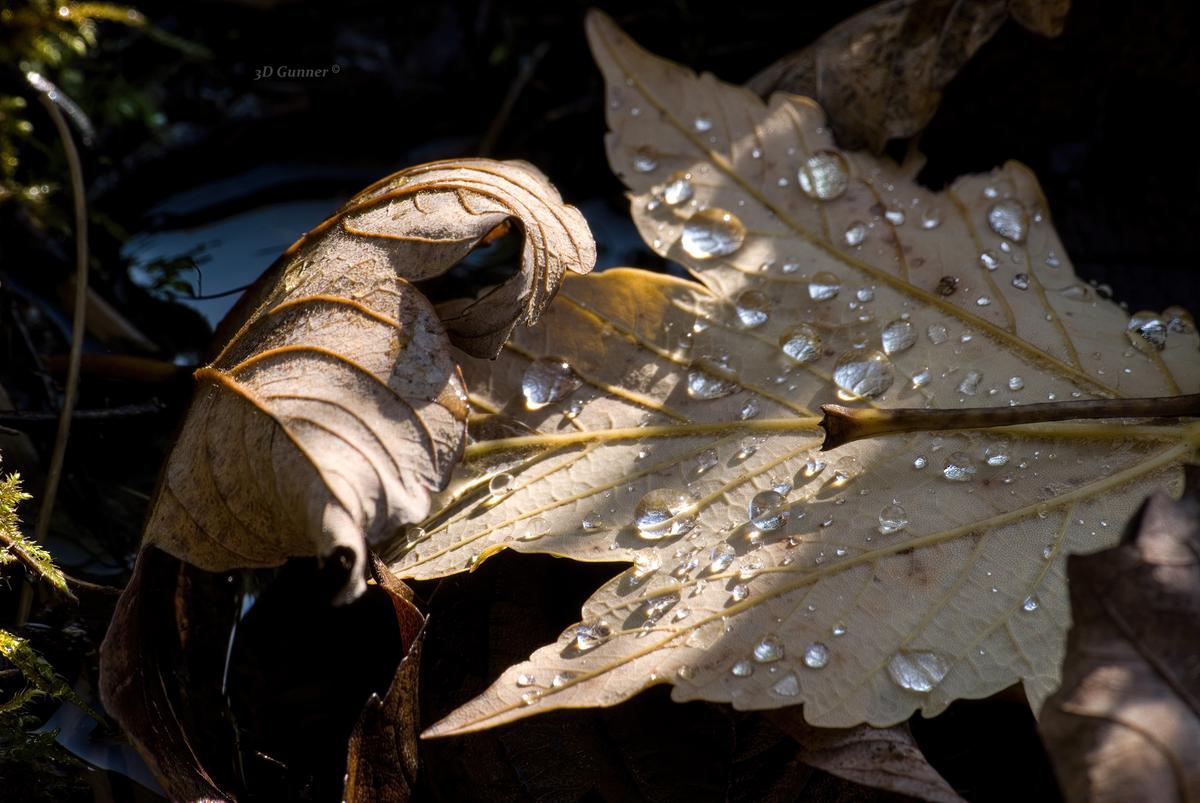
    The texture of a leaf highlighted by "water lenses".

    Texture.jpg

    Texture.jpg

    JPG, 927.3 KB, uploaded by 3DGunner on Dec. 20, 2025.

    RonP likes this.

    favorite 1

  • link
    RonP
    Members 135 posts
    Dec. 20, 2025, 9:48 p.m. Dec. 20, 2025, 9:48 p.m.
    link

    image.png
    Original Post is here:
    dprevived.com/t/the-macro-and-close-up-fortnightly-thread-2-textures/7789/post/111474/

    @xpatUSA has written:

    One way to see texture only is to find a suitable image and crop, then magnify - here 300%, Lanczos2. Then sharpen as needed because upscaling softens images and and add contrast because there wasn't much in the original ...

    ... all done in FastStone Viewer from an old Samsung Galaxy Skyrocket JPEG shot.

    A worthwhile reminder.
    FastStone is a fantastic tool, I'm always amazed some aren't using it.
    Had to look up the Skyrocket, but !

    Ron

    image.png

    PNG, 34.3 KB, uploaded by RonP on Dec. 20, 2025.

  • link
    RonP
    Members 135 posts
    Dec. 20, 2025, 9:54 p.m. Dec. 20, 2025, 9:54 p.m.
    link

    image.png
    Original Post is here:
    dprevived.com/t/the-macro-and-close-up-fortnightly-thread-2-textures/7789/post/111515/

    @3DGunner has written:

    The texture of a leaf highlighted by "water lenses".

    Nice work, restrained palette keeps you focussed on the good stuff.
    A100, eh ? Just enough pixels to get it done (well).

    Ron

    image.png

    PNG, 59.4 KB, uploaded by RonP on Dec. 20, 2025.

  • link
    RonP
    Members 135 posts
    Dec. 21, 2025, 4:18 a.m. Dec. 21, 2025, 4:18 a.m.
    link

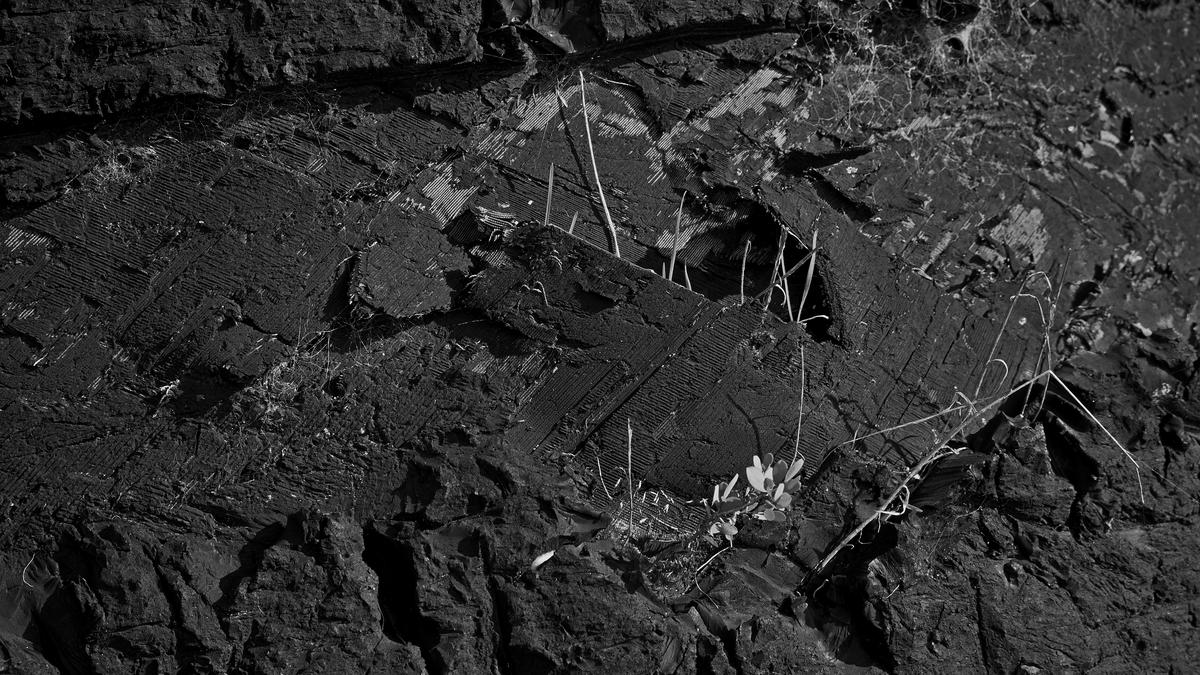
    tyre.jpg

    One more for fun.
    Huge old tyre in the local "breakwater".
    A3000, what a heartbreaker of a camera 😢

    Ron

    tyre.jpg

    JPG, 5.7 MB, uploaded by RonP on Dec. 21, 2025.

  • link
    Bryan
    Members 1729 posts
    Dec. 21, 2025, 4:51 a.m. Dec. 21, 2025, 4:51 a.m.
    link
    @RonP has written:

    A worthwhile reminder.
    FastStone is a fantastic tool, I'm always amazed some aren't using it.

    Well I do and enjoying it even more with the G9M2. The difference between the original G9 images and the M2 is really apparent with FastStone. I can safely raise shadows a whole lot more. Unfortunately I can't use it on the raws as yet but I can use ON1 when I need to. It would be something if FastStone received AI based noise reduction.
    Best user interface of any pp tool I have tried.

  • link
    RonP
    Members 135 posts
    Dec. 21, 2025, 5:47 a.m. Dec. 21, 2025, 5:47 a.m.
    link
    @Bryan has written:

    Unfortunately I can't use it on the raws as yet but I can use ON1 when I need to.

    Is the "New! Free! Affinity!" of any interest ?
    Not sure if they cover your Cam, but I'm sure there's a list somewhere (?).

    Ron

arrow_upward first_page chevron_left

There are no more posts in this thread.

  • DPRevived.com & the-photo.org are owned and operated by The Photographer's Foundation Limited, registered in England, company number 14795583. Contact us here https://the-photo.org/contact.html
powered by misago