you are on the new server domainname will switch later
If you can not login please clear cookies
chevron_left
chevron_right
The-Photo forum
  • Home
  • Forums
    • theatersImage Discussions arrow_forward
      • chat_bubbleChallenges arrow_forward
        • camera Edit me an Image
        • camera Photo of the Week
      • chat_bubbleHave your photos Critiqued arrow_forward
        • camera Wednesday C&C
      • Showcase your Photos
      • chat_bubbleWeekly & Topic Image Threads arrow_forward
        • camera Abstract/Experimental
        • camera B&W Threads
        • camera Sunday Cats!
        • camera Weekly Collegial forum
        • camera Daily Outing
        • camera This week through your eyes
        • camera Landscape
        • camera Macro & Close Up
        • camera Street Photography
    • theatersMiscellaneous forums arrow_forward
      • Photo Hardware Discussions
      • Industry News
    • theatersOther Photography Talk arrow_forward
      • Photo History Trivia
      • Open discussions
      • Technical Discussions
    • Site Discussions
    • theatersWelcome arrow_forward
      • chat_bubbleForum Guidelines arrow_forward
        • camera Misplaced Posts
  • Threads
  • Users
  • Web Site
  • message
  • group
  • chevron_right Threads
  • label Images Image Discussions
  • label Challenges Challenges
  • label Edit Edit me an Image

Edit me an image #63 - Oh no, wrong ISO !

Fireplace33
March 29, 2026
chat_bubble_outline 9
arrow_downward
  • link
    Fireplace33
    Members 1977 posts
    March 29, 2026, 10:34 a.m. March 29, 2026, 10:34 a.m.
    link

    Continuing the image editing thread, 63rd issue.

    General rules:

    ♦ A previous round winner presents a busy or just not so interesting image, having at least some potential for different crops or visions.
    ♦ Anyone (except author of original image) can edit the presented image, up to three distinct edits in separate posts are permitted.
    ♦ All edits must be based on original image, not on another people's edits (of course borrowing ideas would not be a problem).
    ♦ Short explanations about your editing intentions and/or techniques are encouraged, but not required.

    Once the deadline for images has been reached, no new image versions will be accepted. Questions and (polite) discussions of techniques are welcome, so that we can learn from one another how certain edits were achieved.
    The edited version gathering most likes wins and its author will start next round, unless they would prefer to pass the torch to someone else.
    On the closing day for voting, if there is a draw in the number of likes for two or more edits, then the person that posted the original image will decide the winner from the the photos receiving the most votes.

    Editing rules:

    ♦ All "normal" adjustments (brightness, colours, curves etc) are permitted (both local and global ones).
    ♦ All geometric adjustments (perspective, cropping etc) are permitted.
    ♦ Artistic effects (brushes, textures etc) are allowed.
    ♦ No additions or replacements may be made to the main subject matter of the image; non-essential objects may be removed, and parts of the original image can be "moved" to a different position in the image. Sky replacements are OK unless the sky is the main subject..
    ♦ Generative AI must not be used.

    Timing:
    Get your images posted by April 5th. As always, you can vote during the entire contest plus one day after the image submission deadline. I'll post reminders.

    The photo:

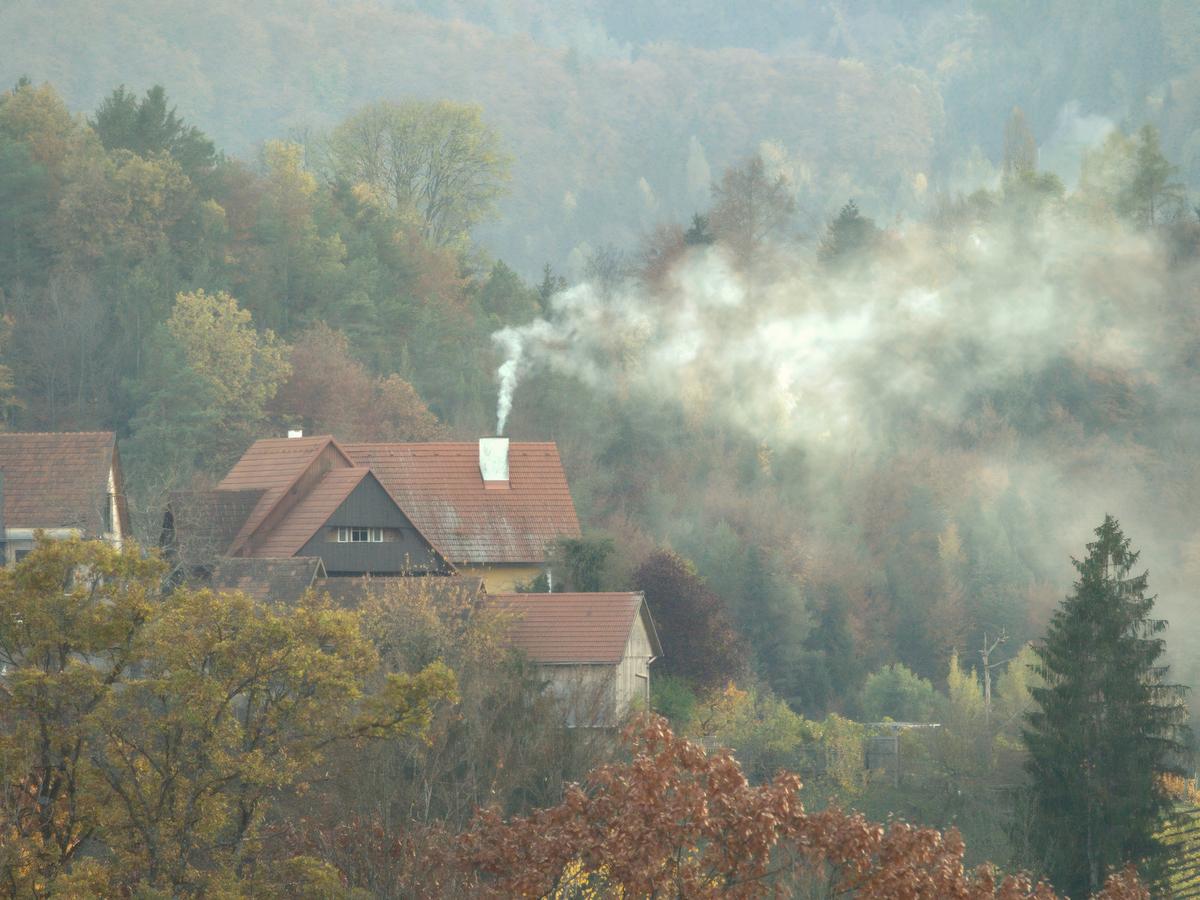
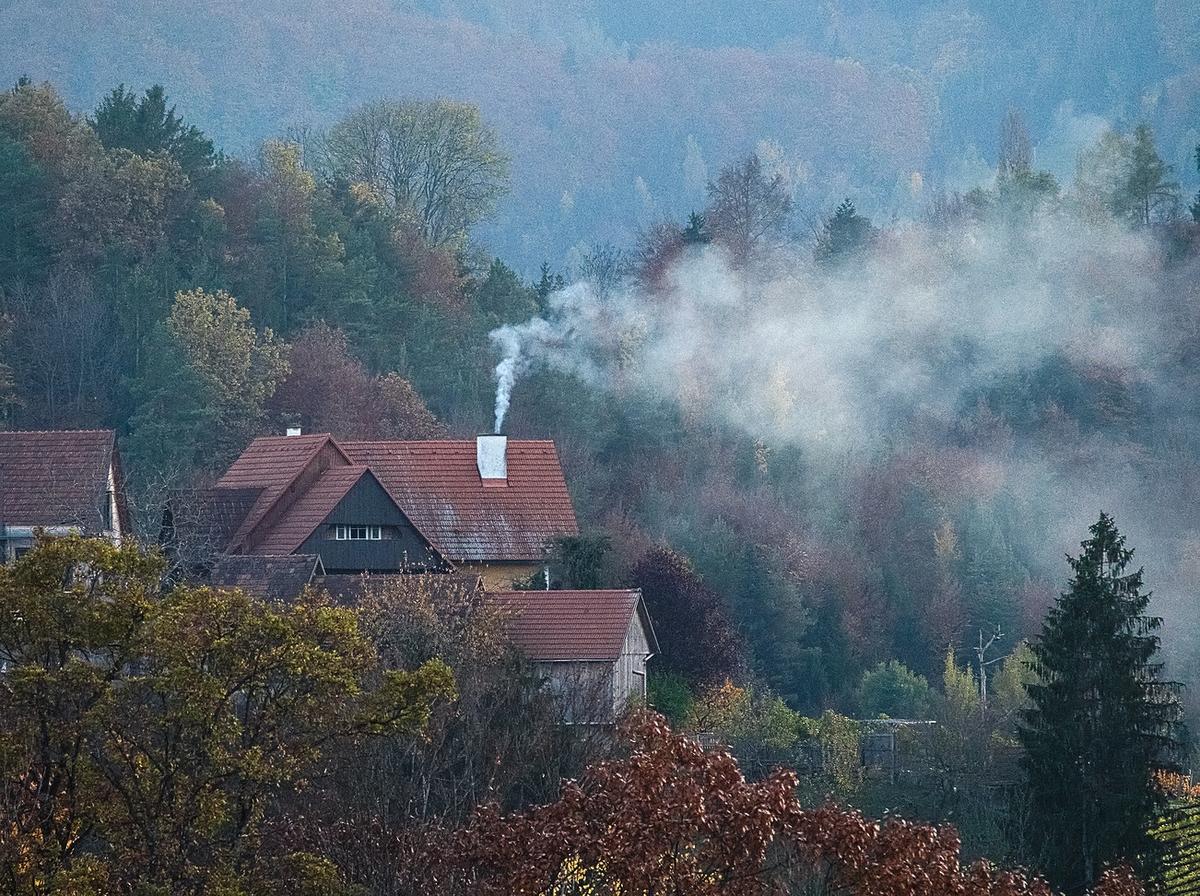
    Oh no, wrong ISO !

    This photo was taken in November 2020 during a visit to the "Südsteiermark" (Southern Styria, Austria)
    We spent a few days just before another Covid-19 Lockdown on a hiking tour, with a competent guide and bird photographer.
    We were trying our luck, under his guidance, to take some photos of the fast winged Black Woodpecker and so I'd set my ISO quite high.
    While waiting, I saw this nice autumn scene with some houses on the edge of the forest and some wood smoke coming out of the chimney.
    Forgetting about my current ISO, I took the shot which led to this very noisy underexposed image!
    Just goes to show that at 1/2000s you don't get much light hitting the sensor ;-)

    So, who can remove the noise best, and yet keep, or even enhance the detail?
    Maybe this is a case to let AI help ?
    And what else is possible ?
    Looking forward to your edits.

    Here's the jpg
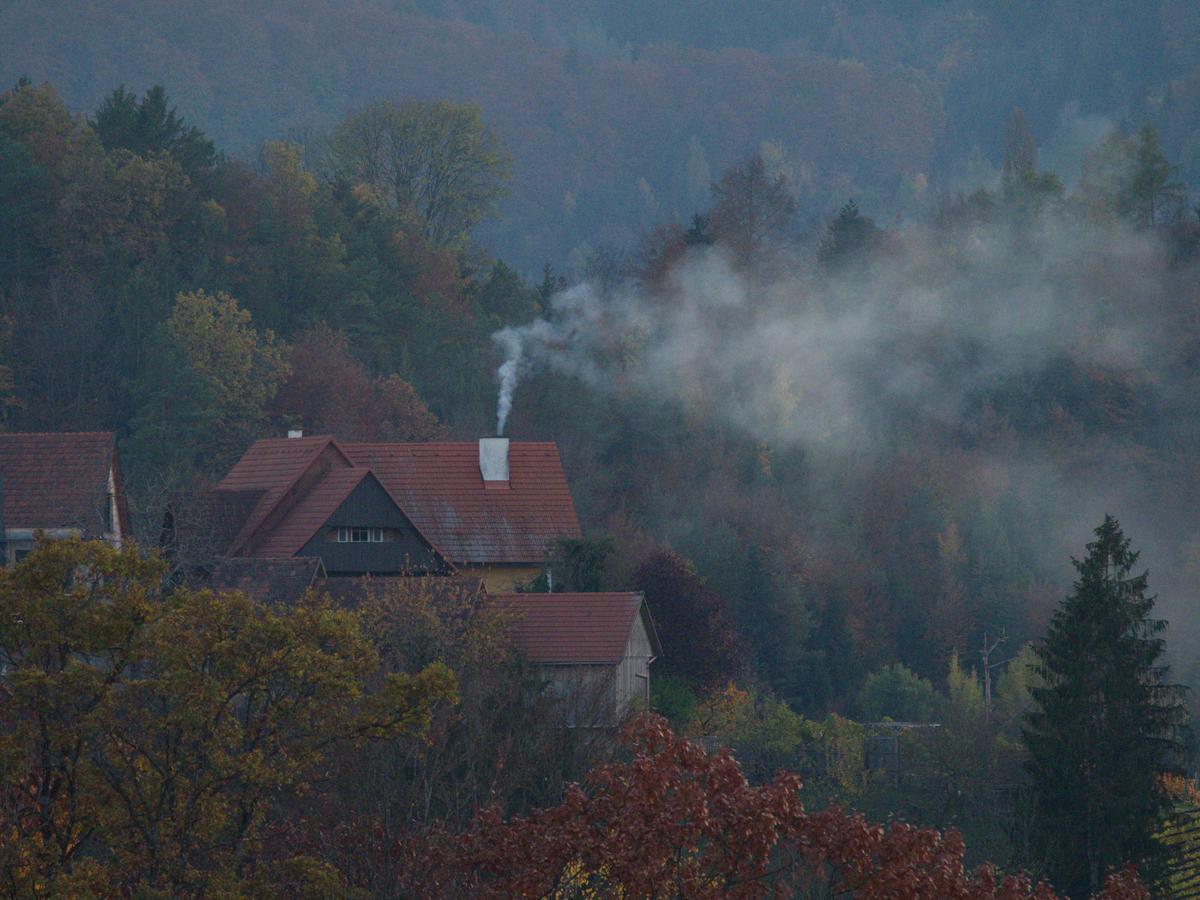
    PB020165 - orignal d.JPG

    And the RAW file can be found here

    PB020165 - orignal d.JPG

    JPG, 9.9 MB, uploaded by Fireplace33 on March 29, 2026.

  • link
    AlanSh
    Forum Admin 3918 posts
    March 29, 2026, 11:42 a.m. March 29, 2026, 11:42 a.m.
    link

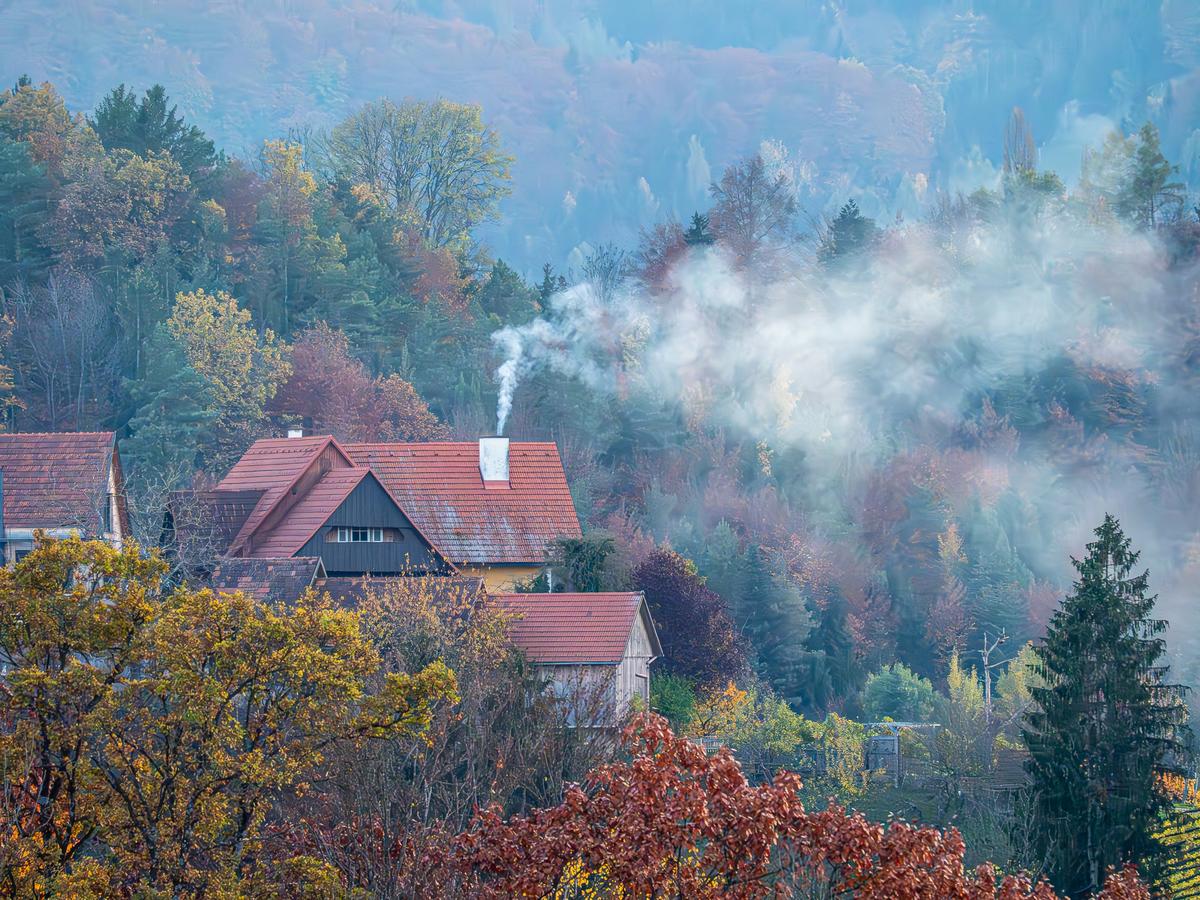
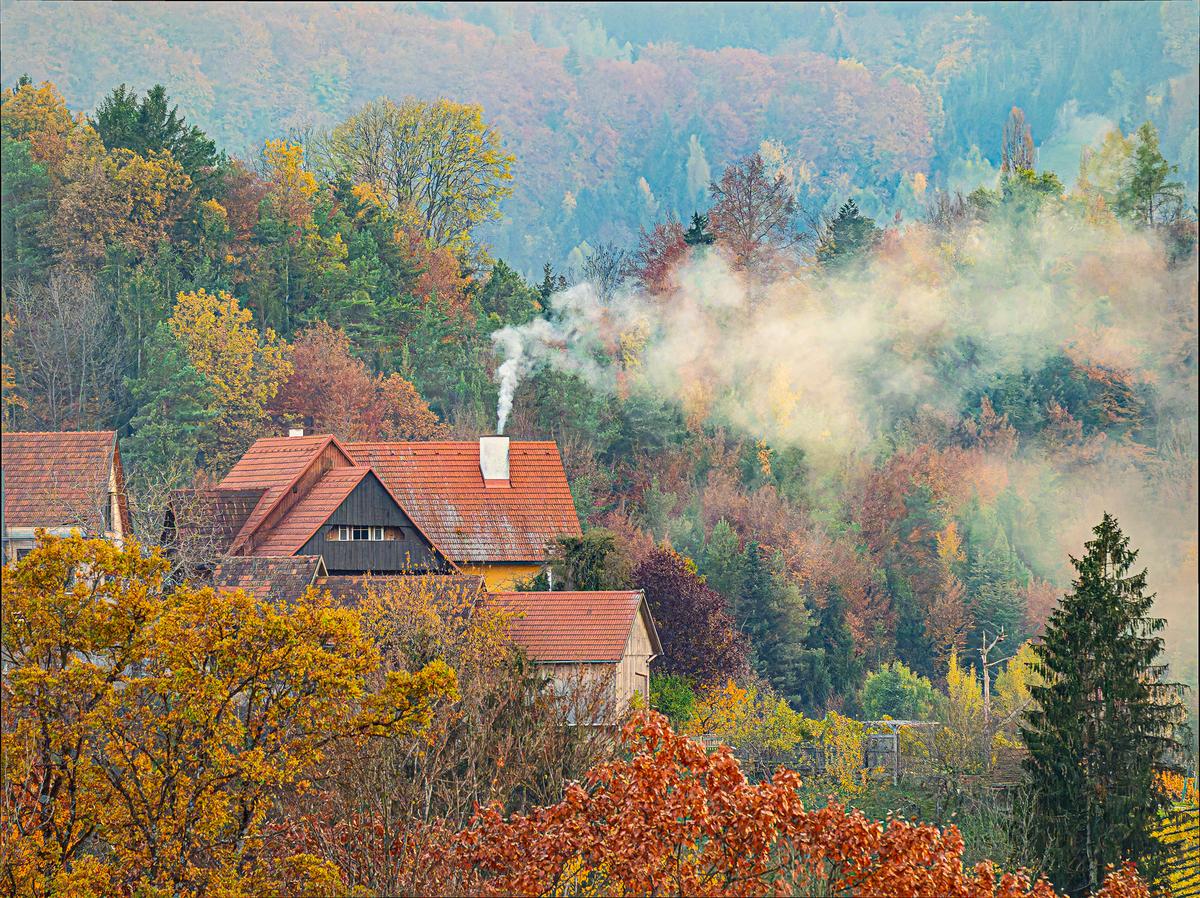
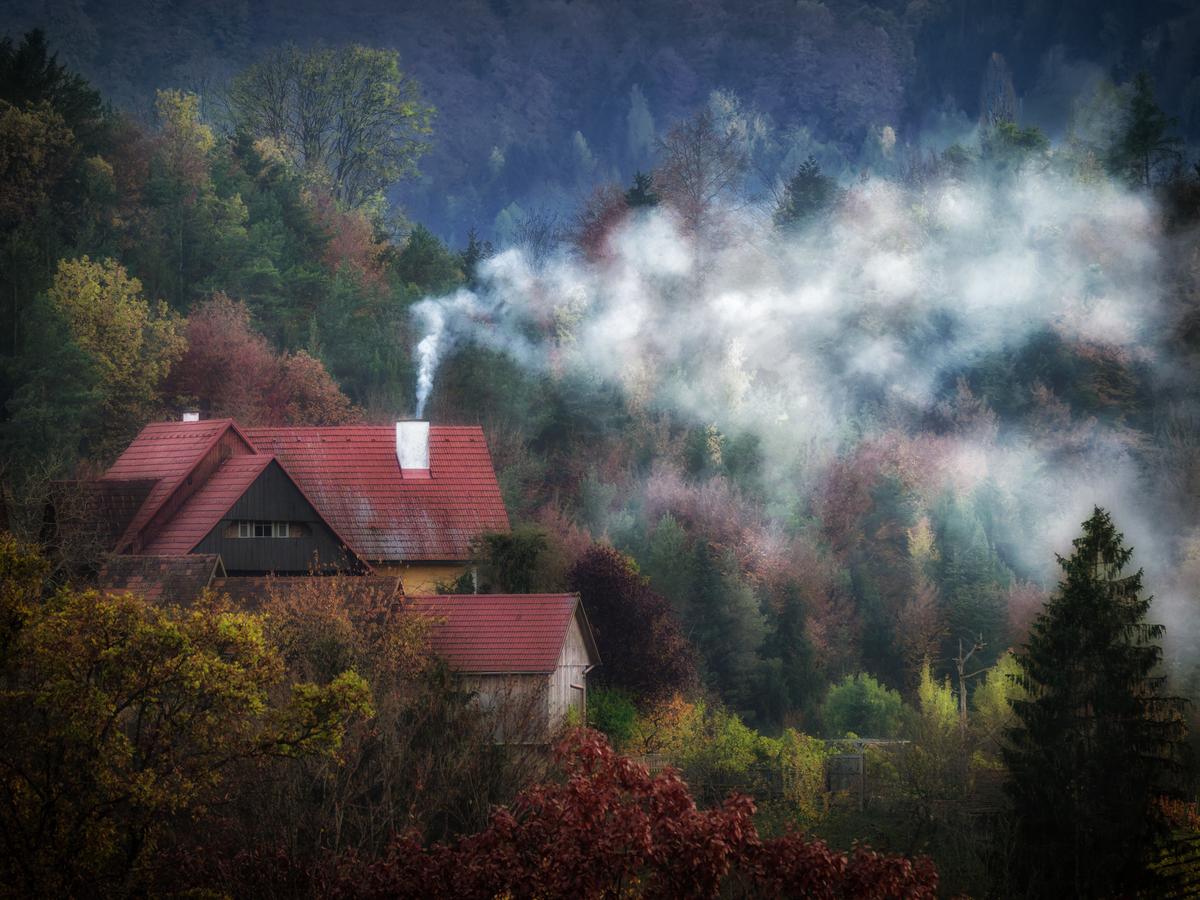
    1st try. Pull the raw into Lightroom, apply denoise and sharpening. Then adjust the colours to give it some vibrance.

    PB020165 - orignal-1_Superlarge.jpg

    PB020165 - orignal-1_Superlarge.jpg

    JPG, 5.7 MB, uploaded by AlanSh on March 29, 2026.

  • link
    AlanSh
    Forum Admin 3918 posts
    March 29, 2026, 11:43 a.m. March 29, 2026, 11:43 a.m.
    link

    2nd Try. I've been given a copy of Aiairy Image Enhancer to play with. So, use that to remove the noise, export it as TIFF, import it into LR and then apply an 'artistic' profile to make it look 'oldy worldy'.

    PB020165 - orignal_MoreDetail-v3_x1_5184x3888_2pass_MoreDetail-v3-1_Superlarge.jpg

    PB020165 - orignal_MoreDetail-v3_x1_5184x3888_2pass_MoreDetail-v3-1_Superlarge.jpg

    JPG, 4.8 MB, uploaded by AlanSh on March 29, 2026.

  • link
    ArvoJ
    Team 1181 posts
    March 29, 2026, 12:26 p.m. March 29, 2026, 12:26 p.m.
    link

    editme63_DxO.jpg

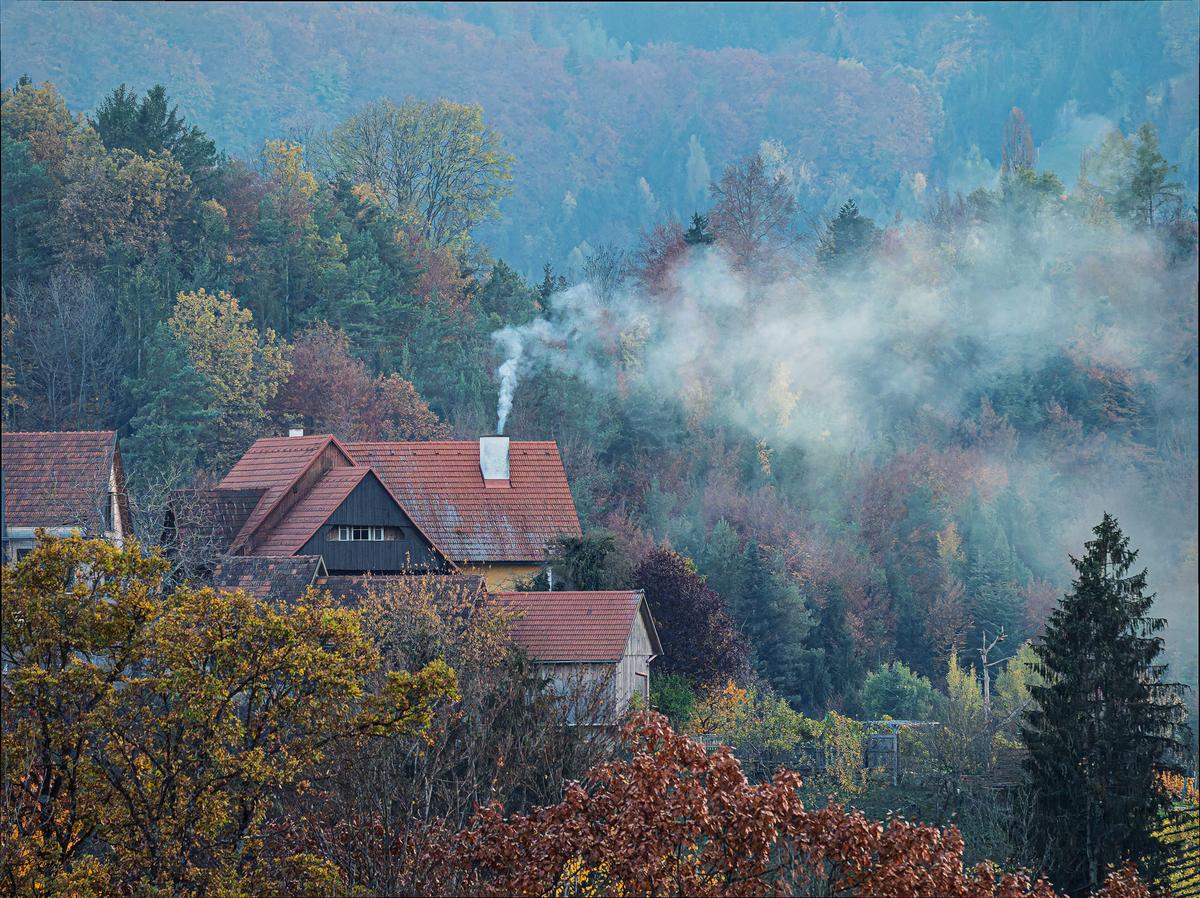
    DXO PL9, Ektachrome-ish rendering, dynamic, curves, noise removal.
    This is just the first try, even no cropping applied :)

    editme63_DxO.jpg

    JPG, 2.3 MB, uploaded by ArvoJ on March 29, 2026.

  • link
    Sagittarius
    Members 906 posts
    March 29, 2026, 2:22 p.m. March 29, 2026, 2:22 p.m.
    link

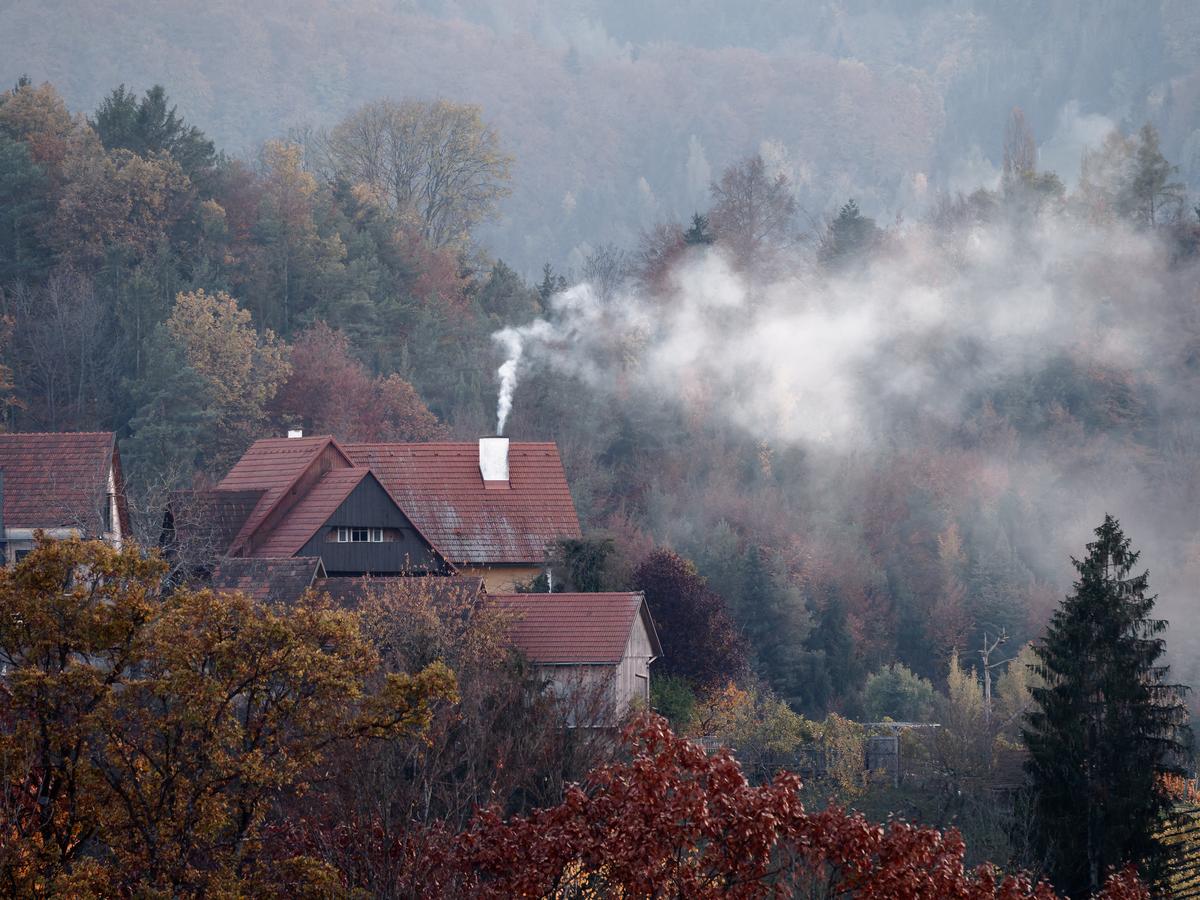
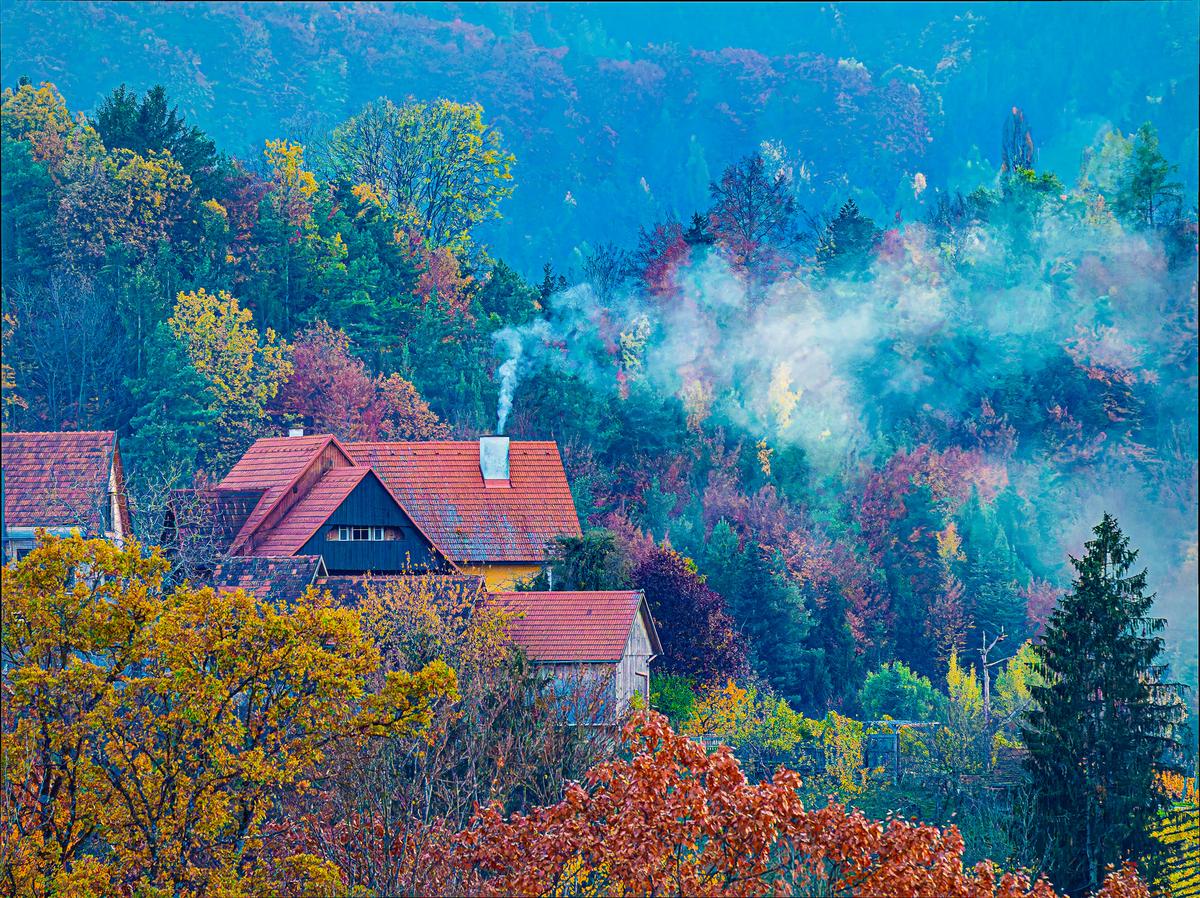
    Edited in LrC + PureRaw 6 plug-in. In LrC used Adobe Adoptive Color profile and Clarity and Vibrance.

    PB020165 - edit 1.jpg

    PB020165 - edit 1.jpg

    JPG, 1.8 MB, uploaded by Sagittarius on March 29, 2026.

  • link
    xpatUSA
    Members 1393 posts
    March 29, 2026, 3:28 p.m. March 29, 2026, 3:28 p.m.
    link

    Opened ORF with RawTherapee

    Too many adjs to list, sorry.

    PB020165 - RT-1.jpg

    PB020165 - RT-1.jpg

    JPG, 1.1 MB, uploaded by xpatUSA on March 29, 2026.

  • link
    Sagittarius
    Members 906 posts
    March 29, 2026, 3:40 p.m. March 29, 2026, 3:40 p.m.
    link

    Increased saturation and dehaze.

    PB020165 - edit 2.jpg

    PB020165 - edit 2.jpg

    JPG, 2.7 MB, uploaded by Sagittarius on March 29, 2026.

  • link
    Sagittarius
    Members 906 posts
    March 29, 2026, 3:48 p.m. March 29, 2026, 3:48 p.m.
    link

    Changed white balance
    PB020165 - edit 3.jpg

    PB020165 - edit 3.jpg

    JPG, 2.5 MB, uploaded by Sagittarius on March 29, 2026.

  • link
    Vahur
    Members 860 posts
    March 29, 2026, 5:53 p.m. March 29, 2026, 5:53 p.m.
    link

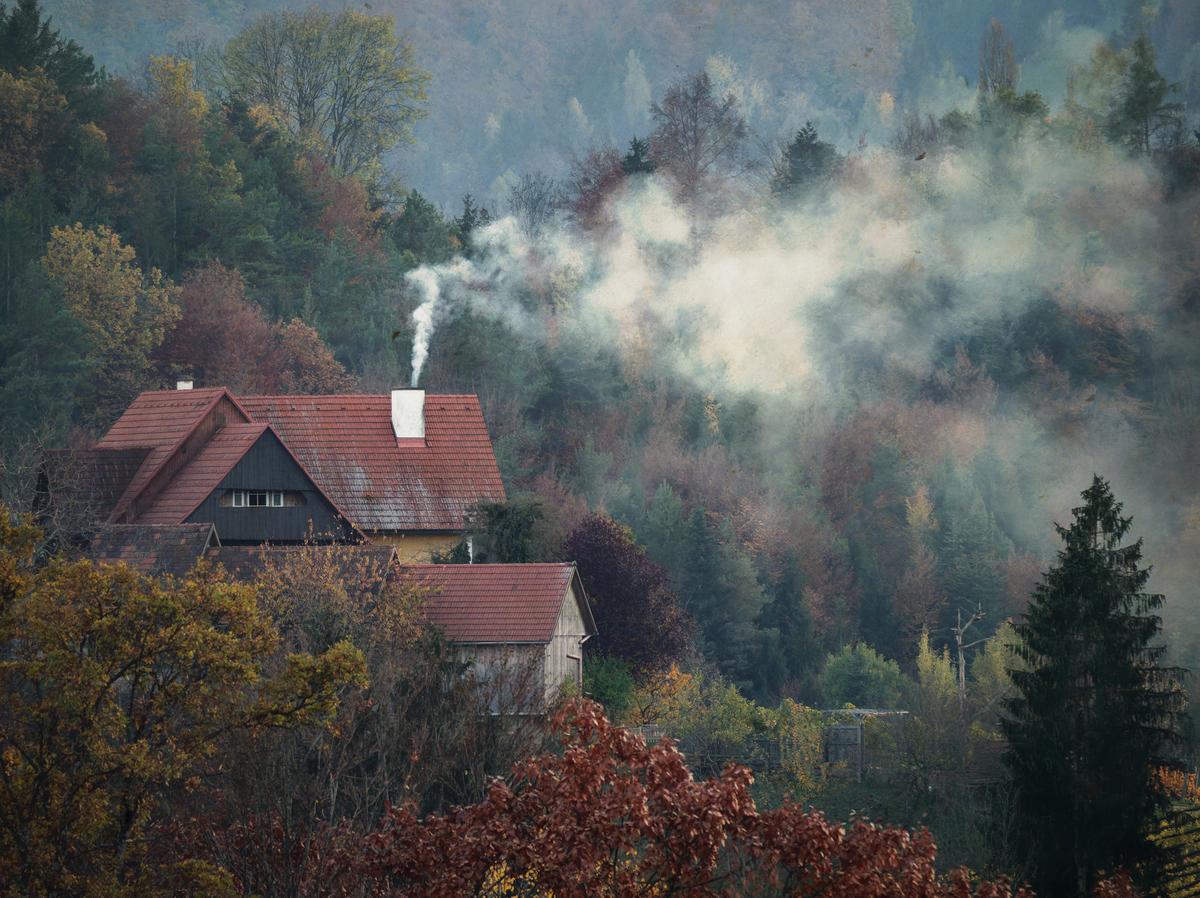
    DXO noise reduction and other adjustments, then Nik Analog Efex. Also cropped, as original image seems to be unbalanced to me.
    The scenery is great, instead of going to maximum details or natural the more painterly look seems to be in order.

    PB020165 - orignal_Nik-1_DxO.jpg

    PB020165 - orignal_Nik-1_DxO.jpg

    JPG, 2.0 MB, uploaded by Vahur on March 29, 2026.

  • link
    Vahur
    Members 860 posts
    March 29, 2026, 6:47 p.m. March 29, 2026, 6:47 p.m.
    link

    Colourful
    DXO noise reduction, crop, basic adjustments and Nik Color Efex various filters this time

    PB020165 - orignal_Nik-2_DxO.jpg

    PB020165 - orignal_Nik-2_DxO.jpg

    JPG, 1.8 MB, uploaded by Vahur on March 29, 2026.

arrow_upward

There are no more posts in this thread.

  • DPRevived.com & the-photo.org are owned and operated by The Photographer's Foundation Limited, registered in England, company number 14795583. Contact us here https://the-photo.org/contact.html
powered by misago